📚 Student Guide
Learn how to submit assignments and invest in peer work to maximize your learning and grades
Phase 1: Assignment Submission
Create teams, submit assignments, and meet deadlines
View Submission GuidePhase 2: Peer Investment
Evaluate peers and make strategic token investments
View Investment GuideGetting Started
Access the Platform
Go to the platform and log in with your student account
Platform URL: startup-tycoon.vercel.app
Reset Your Password
If you're a new student or haven't logged in recently, reset your password
- Click on "Login" on the homepage
- Click on "Forgot your password?"
- Enter your student email address
- Check your student email for reset instructions
- Set a new password and log in
Select Your Course
After logging in, you'll land on your Course Dashboard. Select your course from the available courses.
Phase 1: Assignment Submission
Create teams and submit your work
Phase 1 - Step 1: Create Your Team
On the course dashboard, look for the "Create Team" button
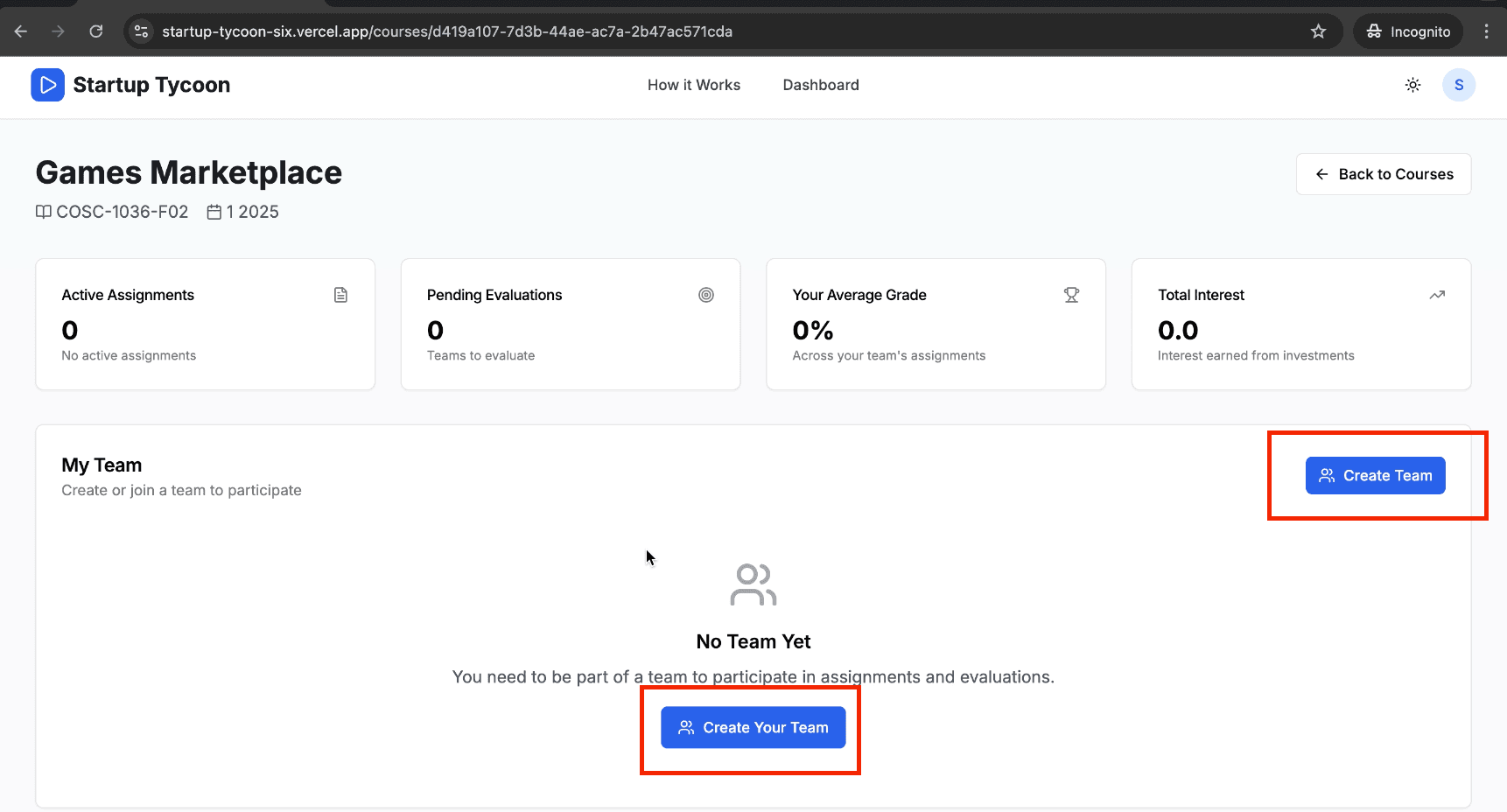
Course Dashboard - Create Team Button
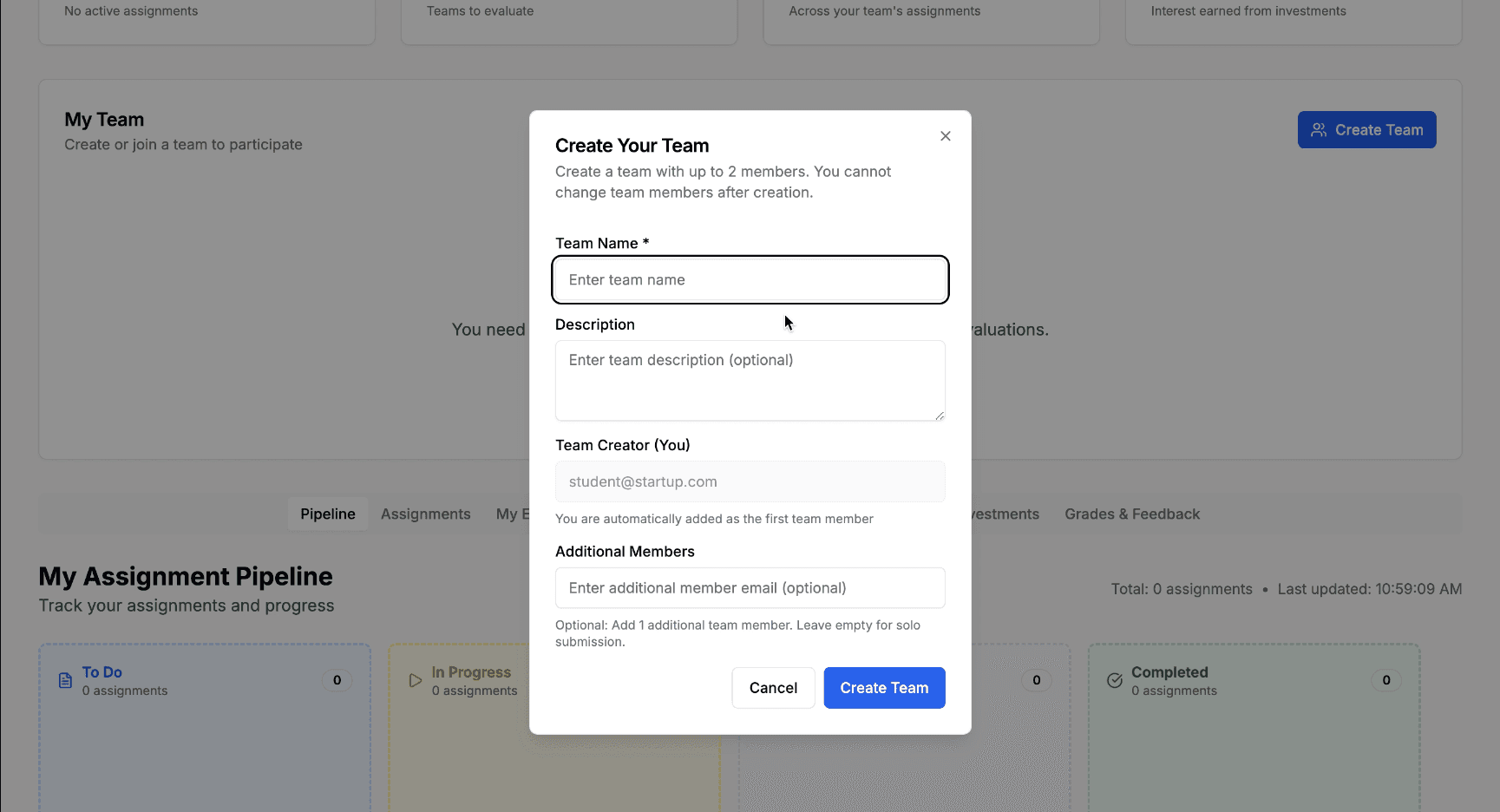
Team Creation Modal
Team Creation Steps:
- Click "Create Team" to start forming your team
- Enter your team member's email addresses
- You can add up to 1 member or create a solo team
- Click "Create Team" to finalize
Team Rules:
- Maximum 2 members per team
- Minimum 1 member (solo teams allowed)
- Teams are locked after submission
- Cannot change teams after deadline
Phase 1 - Step 2: Submit Your Assignment
Navigate to the "Assignments" tab or find the assignment in the overview
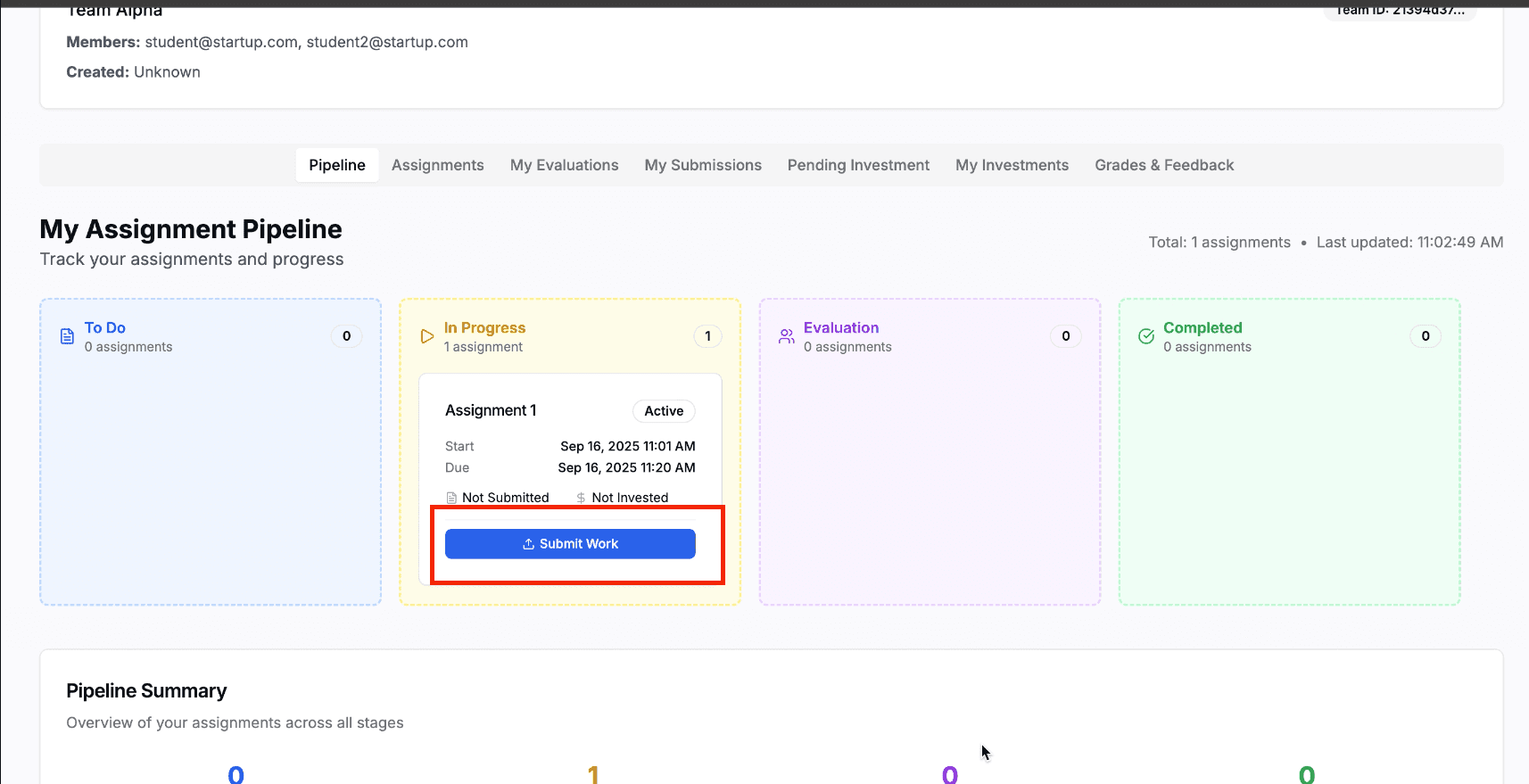
Assignments Tab - Assignment Card
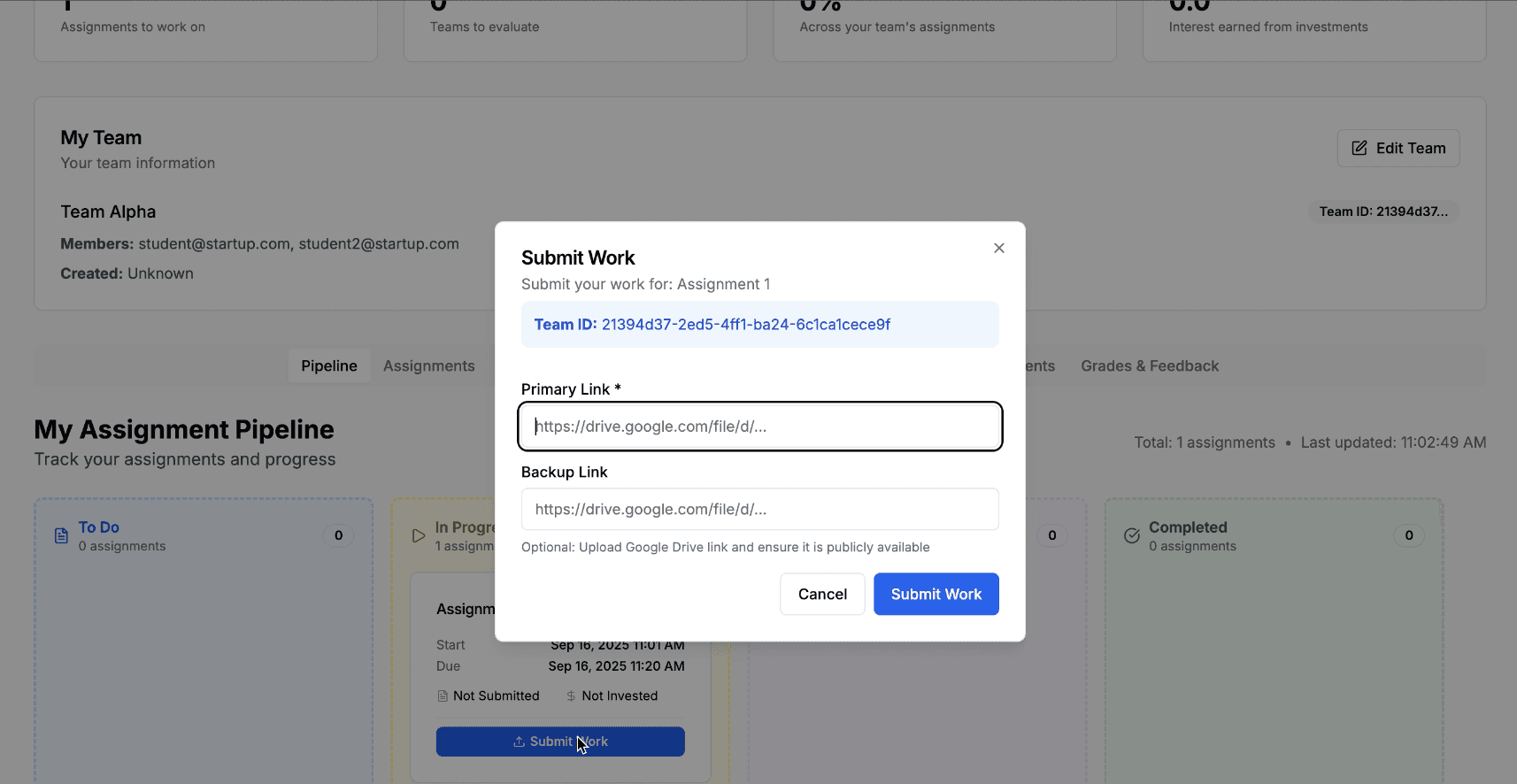
Submission Modal Form
Submission Steps:
- Click on the assignment you need to submit
- Click "Submit Work" to open the submission form
- Enter your assignment details
- Click "Submit Assignment" to complete
Required Information:
- Primary Link: Main submission (required)
- Backup Link: Alternative link (optional)
- Title: Brief description (optional)
Important Deadline Information
Submissions are automatically blocked after the assignment deadline. Make sure to submit on time!
Phase 2: Peer Investment
Evaluate peers and invest tokens
Phase 2 - Step 1: Evaluate Peer Work & Invest Tokens
Go to the "My Evaluations" tab on your dashboard. You'll see a list of peer assignments assigned to you for evaluation.
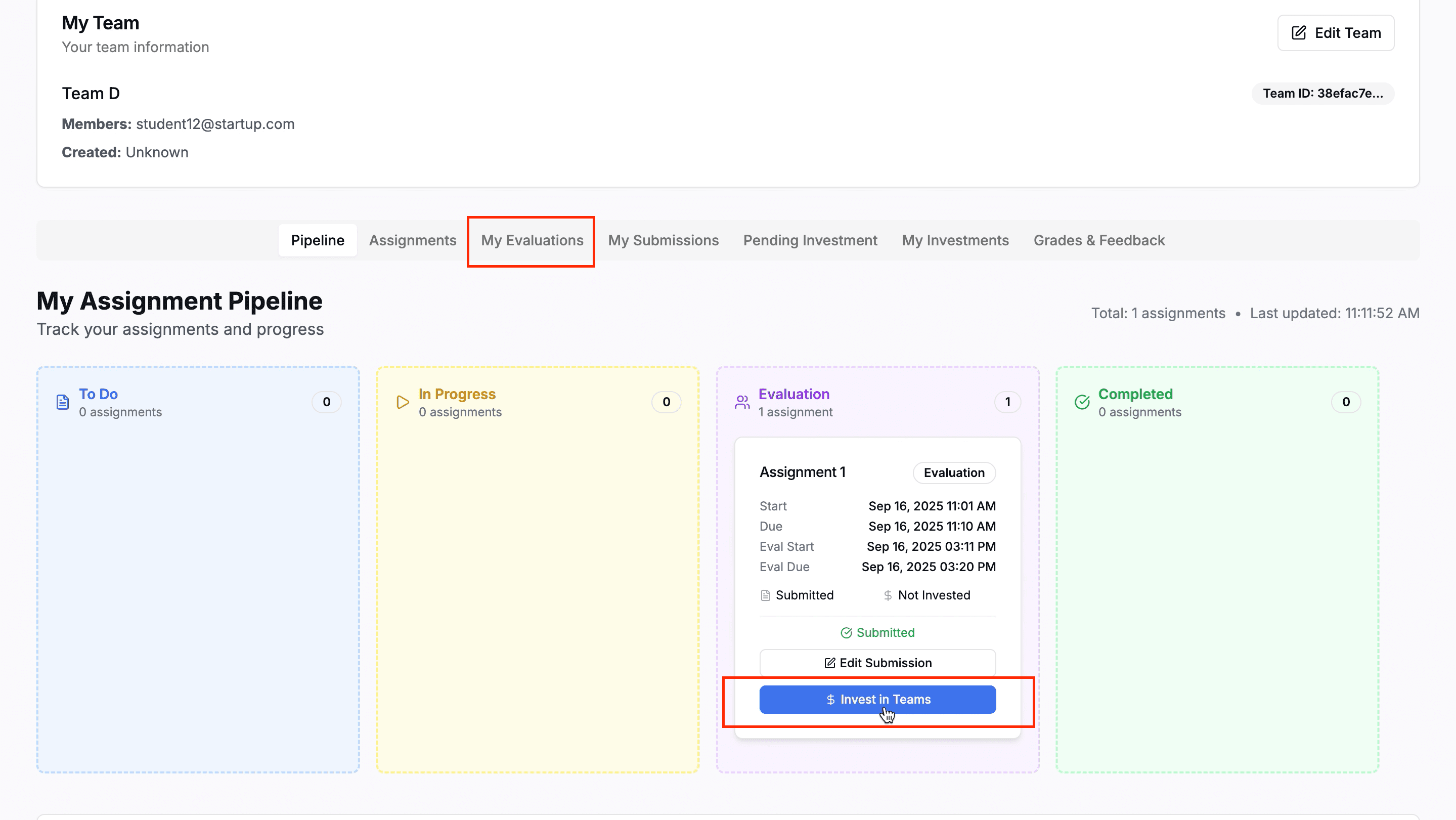
My Evaluations Tab - Investment Options
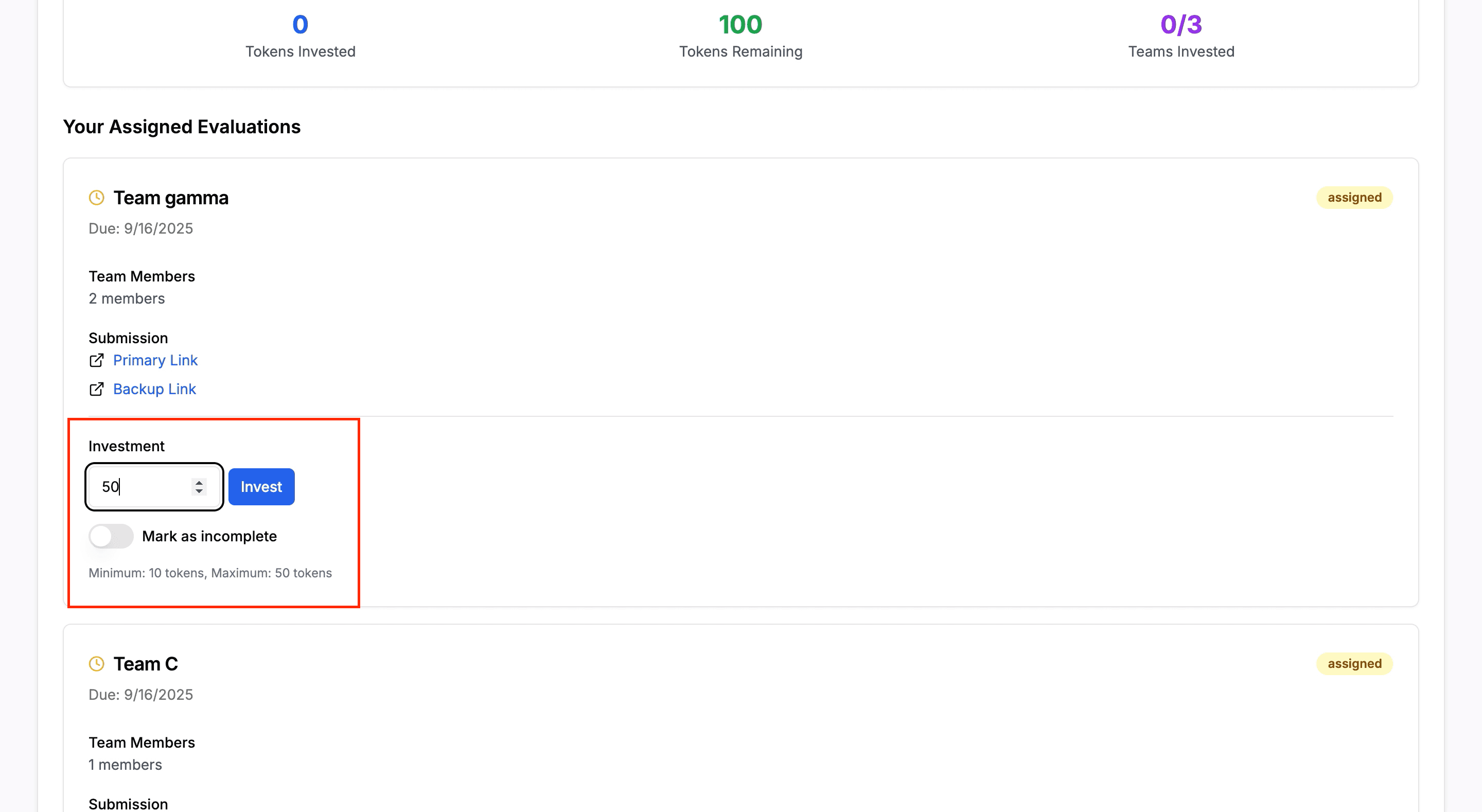
Investment Modal with Token Selection
Evaluation Process:
- Review the submitted work thoroughly
- Provide detailed feedback and comments
- Rate the work based on criteria
- Complete all required evaluation fields
Investment Rules:
- Invest 10-50 tokens per assignment
- Invest in up to 3 teams total
- Choose wisely - affects bonus marks
- Cannot invest after evaluation deadline
Investment Strategy Tips
Higher-performing teams give better returns (20% vs 5% interest). Evaluate quality carefully before investing!
Phase 2 - Step 2: Wait for Results
Once you've completed all evaluations and investments, wait for the instructor to calculate and release grades.
What Happens Next:
- Instructor calculates team grades
- Interest is calculated on your investments
- Final grades are released
- Check "Grades" section for results
Interest Rates:
- High Performance: 20% interest
- Median Performance: 10% interest
- Low Performance: 5% interest
- Incomplete: 0% interest
Quick Tips for Success
Team Communication
Ensure clear communication with your team members throughout the assignment lifecycle.
Watch Deadlines
Always keep an eye on submission and evaluation deadlines to avoid late penalties.
Quality Feedback
When evaluating peers, offer helpful and actionable feedback to aid their learning.
Strategic Investing
Think strategically about your token investments to maximize your bonus marks.
Seek Help Early
Don't hesitate to reach out to your instructor or support if you encounter any issues.
Review Results
Regularly check the "Grades" section for your results and instructor feedback.
Need more help? Contact your instructor or return to homepage